Your image workflow,
automated and lightweight.
Not just another image converter: compress, convert, remove backgrounds and prepare images for the web in seconds. Native to Mac, nothing uploaded.
Download on theApp StoreComing soon to the App Store · macOS 15 or later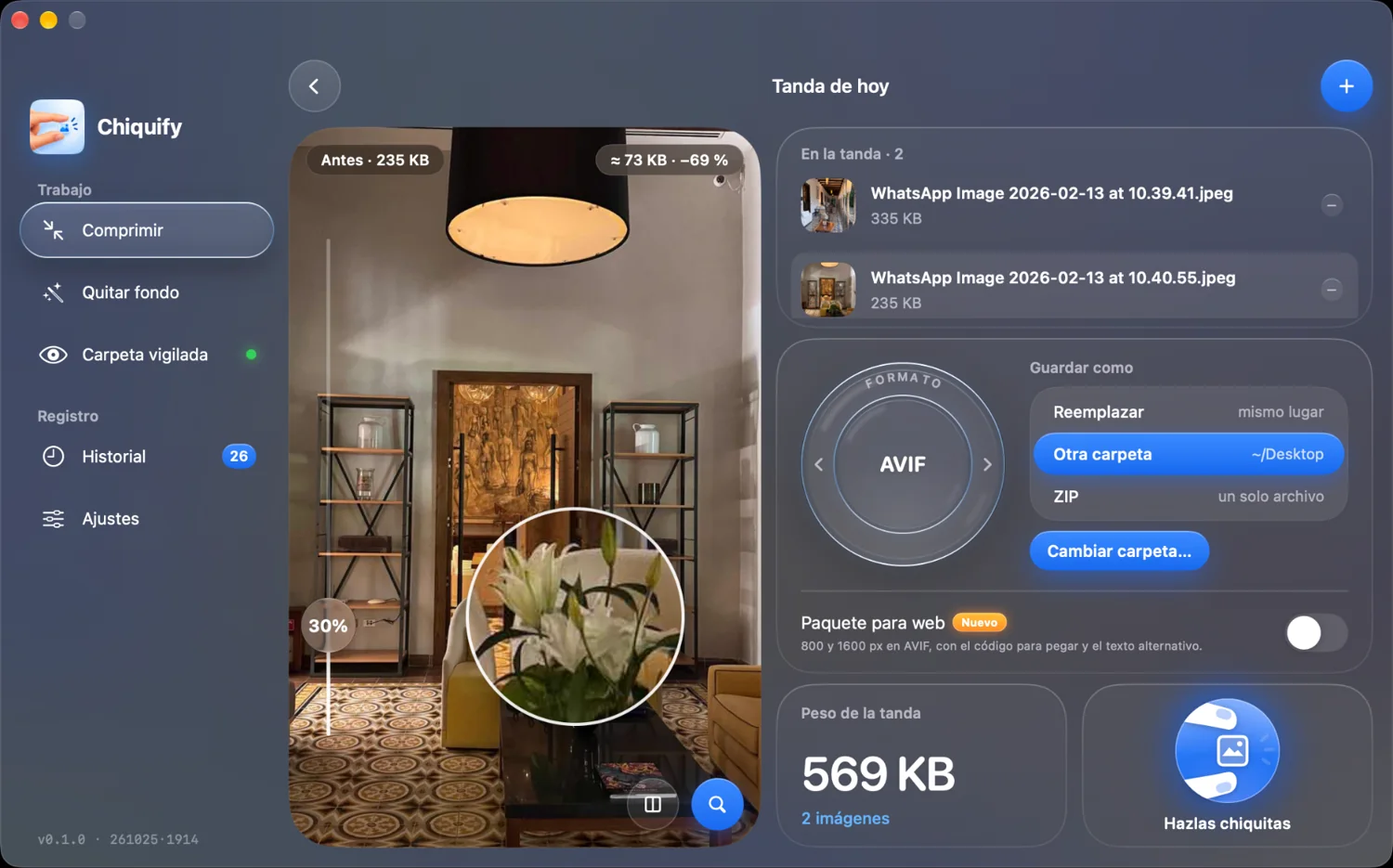
Built for people who live on images
Chiquify brings into one app what you do today with three or four tools.
Web developers
WebP and AVIF at 800 and 1600 px with the <picture> ready to paste.
Marketing
Lighter banners, emails and social assets in batches, still sharp.
Graphic designers
Open PSD, PSB, AI, PDF and EPS and deliver web formats.
Video editors
Thumbnails, stills and graphics with transparency in AVIF or PNG.
Photographers
Develop RAW and deliver lightweight galleries without another app.
Content creators
Remove backgrounds and export in one step from the menu bar.
Truly fast
Native engines optimized for Apple silicon. A batch of photos is ready in a second, no queues, no waiting.
Move the quality slider and see before and after live, with a pixel-level loupe.
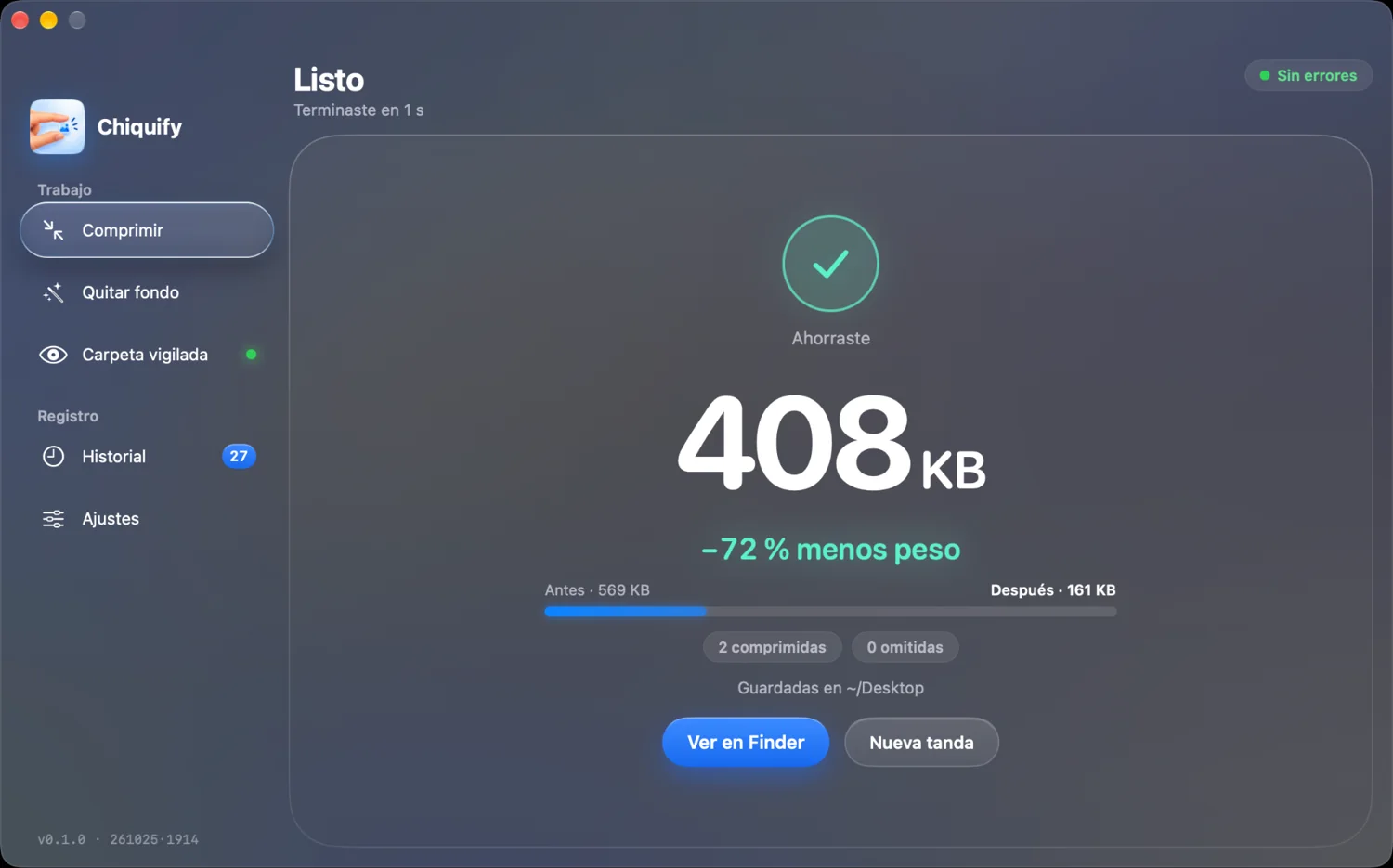
From any format to the one you need
In: JPG, PNG, WebP, AVIF, HEIC, TIFF, GIF, BMP, TGA, SVG, RAW, PSD/PSB, EPS and PDF/AI. Out: JPG, PNG, WebP or AVIF, keeping transparency.
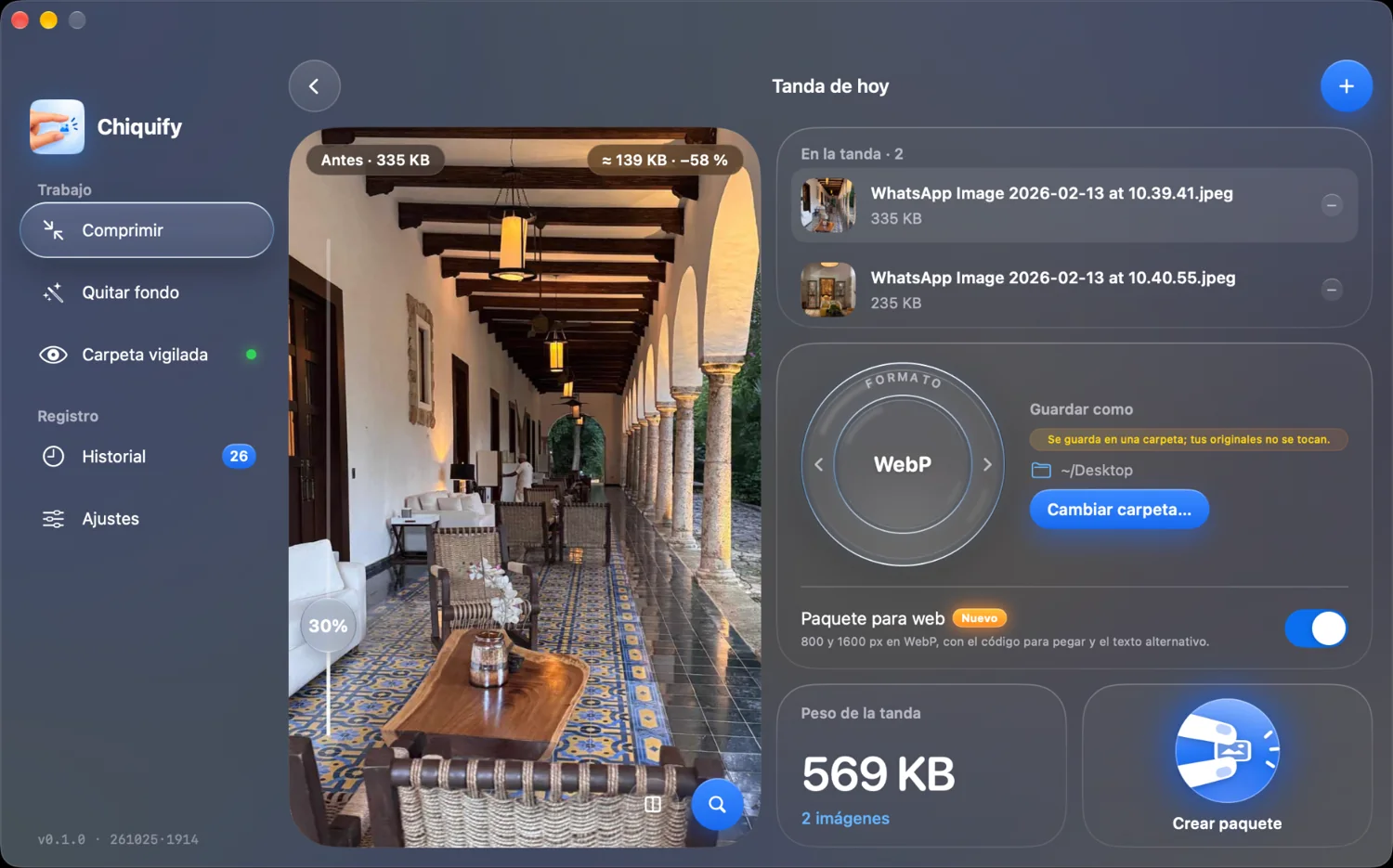
Web package with ready HTML
Export each image at 800 and 1600 px and copy the <picture> snippet with alt text. Paste and done.
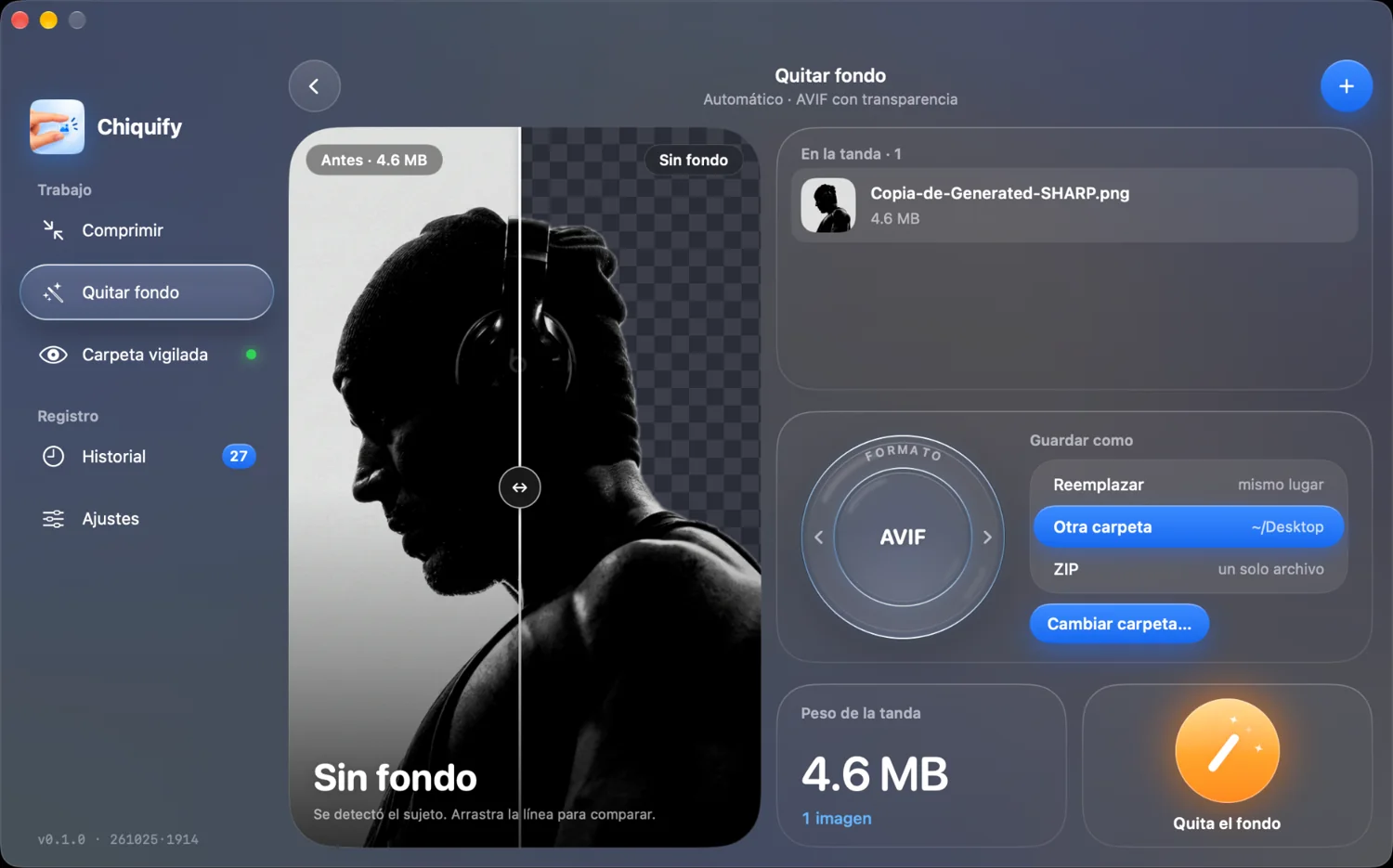
Remove the background and compress in one step
It detects the subject, cuts it out with transparency and exports PNG, WebP or AVIF.
Folders that compress themselves
Pick a folder and any app that saves images there, whether Photoshop, Figma, Premiere or your CAD software, gets them compressed instantly with your settings.
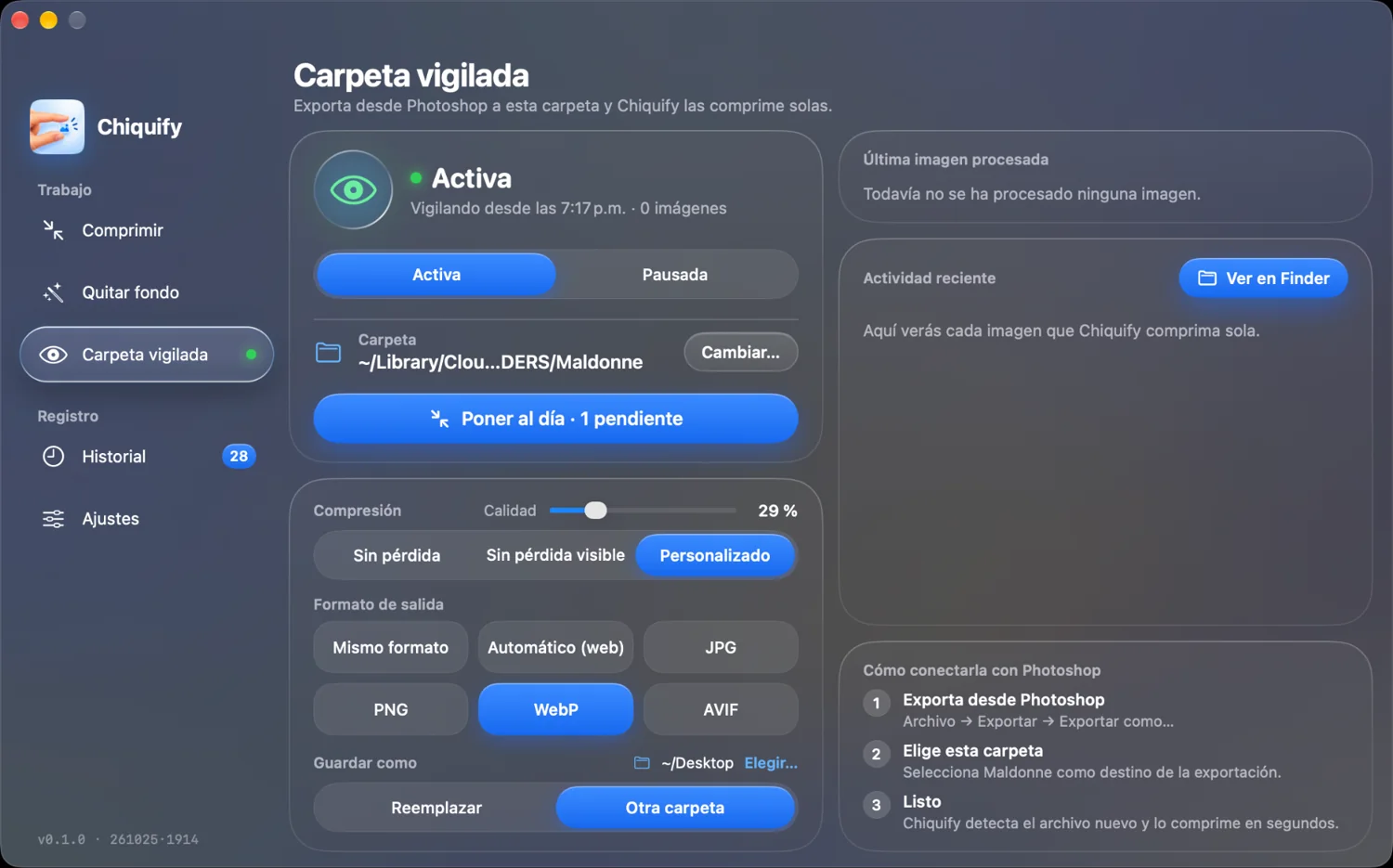
Works with the apps you already use
If your app exports or saves images, Chiquify picks them up in the watched folder and makes them lighter instantly.
UI/UX & Graphic Design
Video & Motion Graphics
Professional Photography
3D, CAD & Architecture
Presentations & Data
Trademarks of their respective owners. Chiquify is not affiliated with them.
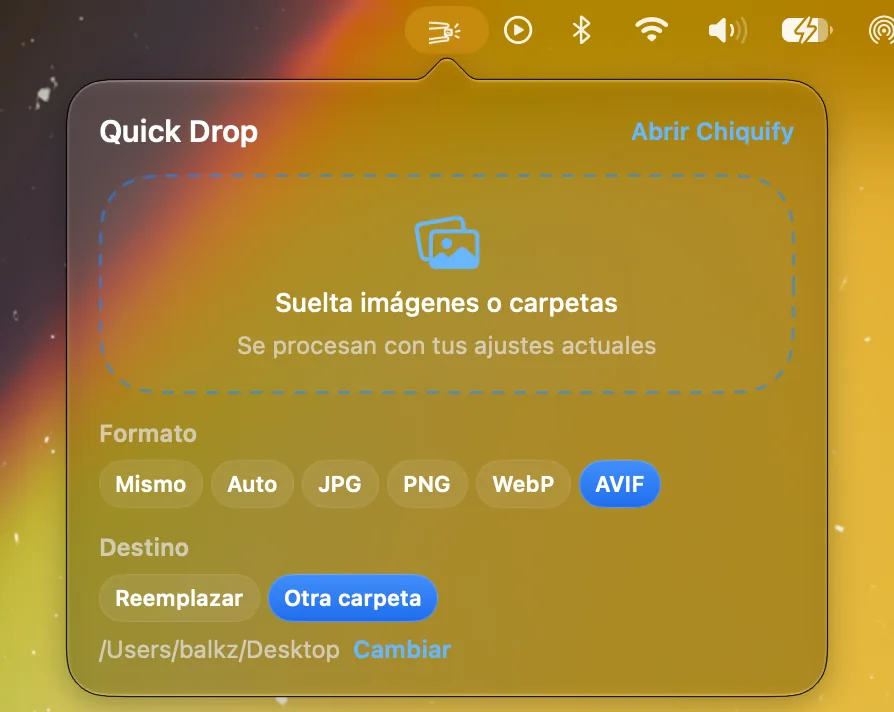
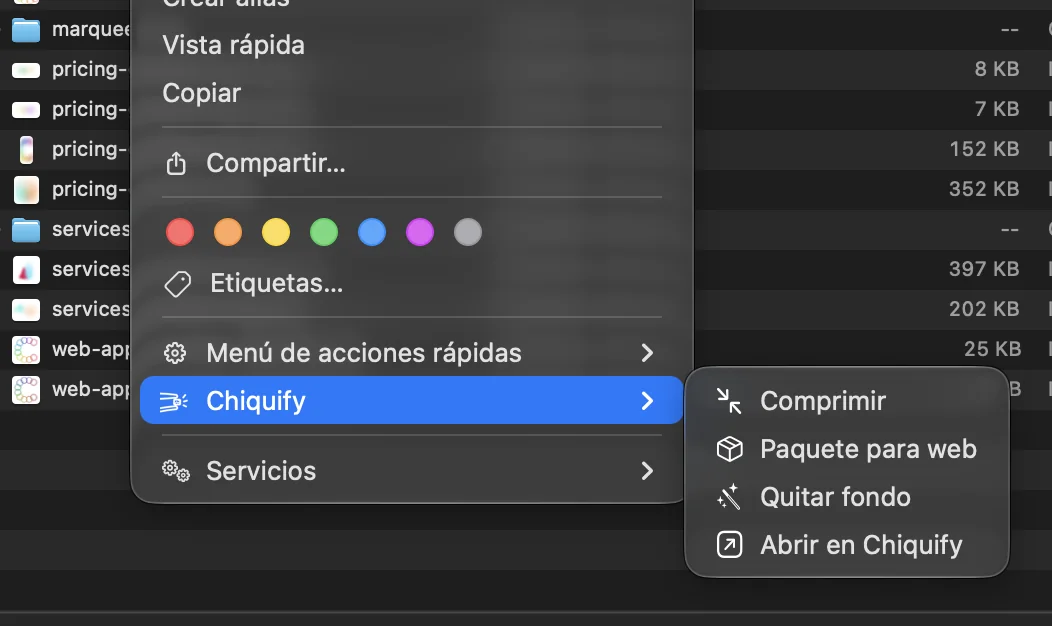
Always within reach
Quick Drop in the menu bar, plus right-click actions in Finder and Shortcuts.
Free or Pro
Free
$0
- 10 images per day
- JPG, PNG, WebP, AVIF, HEIC, TIFF, GIF, BMP, TGA, SVG
- Preview, comparison and loupe
- Background removal and watched folder (within the limit)
Chiquify Pro
$29USD
One-time payment. Yours forever, no subscription.
- Unlimited use
- RAW, PSD/PSB, EPS, PDF/AI
- Unlimited watched folders and batches
- Finder menu and Shortcuts
- Future updates included
Price goes up to $39 after launch.